Get the All Access Pass from $77/month GET STARTED!




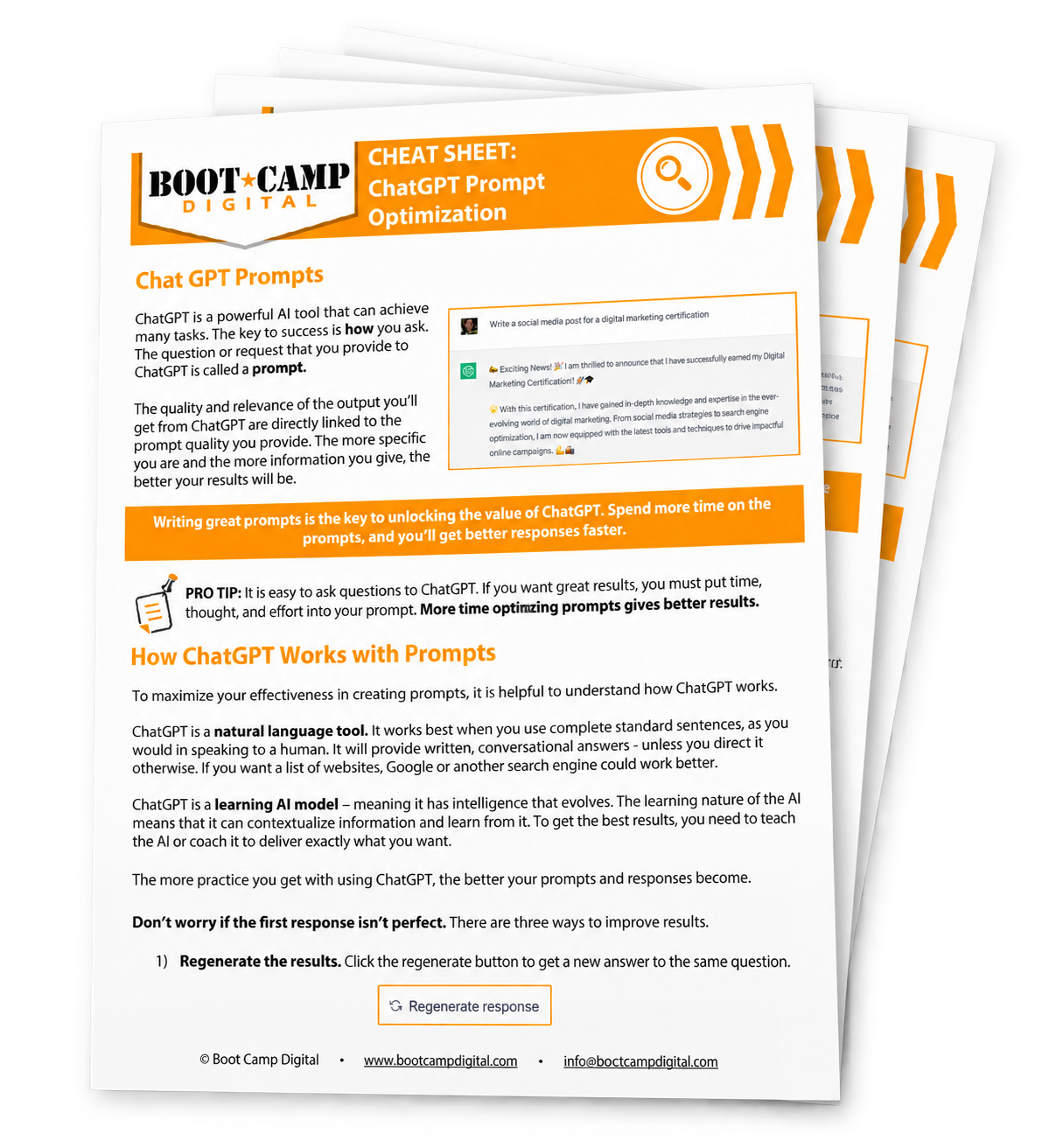
ChatGPT Prompt Cheat Sheet
Looking for ready-to-use examples? Browse our AI prompt library for practical prompts you can copy, customize, and use. Ready to build your prompting skills further? Explore our Prompt Engineering Certification.
ChatGPT Prompts
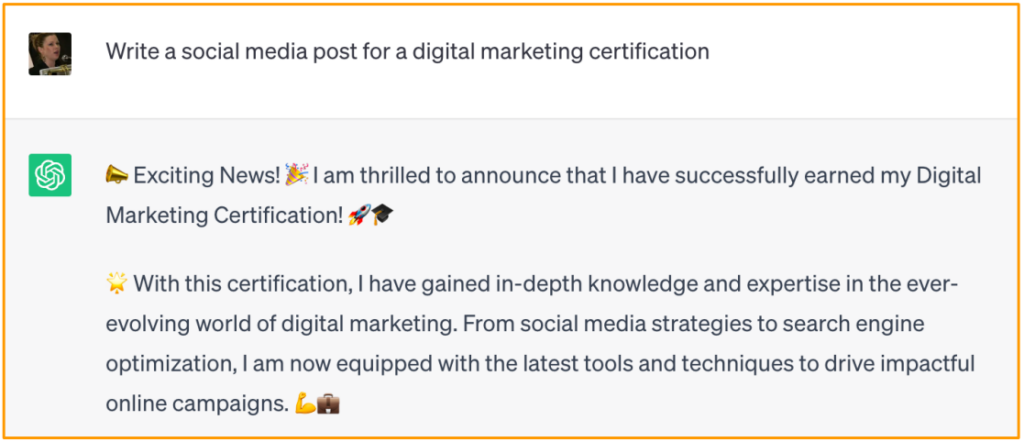
ChatGPT is a powerful AI tool that can achieve many tasks. The key to success is how you ask. The question or request that you provide to ChatGPT is called a prompt.
The quality and relevance of the output you’ll get from ChatGPT are directly linked to the prompt quality you provide. The more specific you are and the more information you give, the better your results will be.
Writing great prompts is the key to unlocking the value of ChatGPT.
Spend more time on the prompts, and you’ll get better responses faster.

PRO TIP: It is easy to ask questions to ChatGPT. If you want great results, you must put time, thought, and effort into your prompt. More time optimizing prompts gives better results.
How ChatGPT Works with Prompts
To maximize your effectiveness in creating prompts, it is helpful to understand how ChatGPT works.
ChatGPT is a natural language tool. It works best when you use complete standard sentences, as you would in speaking to a human. It will provide written, conversational answers – unless you direct it otherwise. If you want a list of websites, Google or another search engine could work better.
ChatGPT is a learning AI model – meaning it has intelligence that evolves. The learning nature of the AI means that it can contextualize information and learn from it. To get the best results, you need to teach the AI or coach it to deliver exactly what you want.
The more practice you get with using ChatGPT, the better your prompts and responses become.
Don’t worry if the first response isn’t perfect. There are three ways to improve results
-
Regenerate the results. Click the regenerate button to get a new answer to the same question.

-
Chain your prompt. Provide more direction in a follow-up prompt.

-
Write a new request. Start over with a new request with more context or details.
Pro Tips to Optimize ChatGPT Prompts
ChatGPT works best with clarity, specificity, and direction. The below tips will help make your ChatGPT prompts better and improve results.
AI outputs vary dramatically depending on the input. Even small changes to prompts can have a significant impact on the output.
PRO TIP: Visualize the response you want before writing the prompt. Explain as much as possible about the response you’d like. This will help you get more specific in your request.
-
Don’t expect to get it right the first time.
- ChatGPT is generative. It takes practice to write great prompts.
- Think of your role as a trainer. Train ChatGPT with the correct information to get the proper responses.
-
Be clear and specific.
- The more specific you are about what you want to see, the better your results will be.
- Instead of “rewrite this,” say “clarify this,” or “explain this as if you’re speaking to someone who doesn’t understand the topic at all.”
- Be specific about the improvement you’d like to see.
-
A positive direction is better than a negative direction.
- A negative direction gives too much room to interpret what you want.
- “Write formally” will better result in what you want. “Don’t write casually.” Negative instructions can leave room for too much interpretation. In this example, it could rewrite a response as funny.
-
Order of operations matters.
- For prompts with multiple specifiers, be sure the order makes sense.
- If your prompt is long, consider breaking up the tasks or instructions. Overly long requests can confuse the AI.
- For example, “Read this article -> Now make a quiz with three multiple choice questions.”
-
Break down your requests into a chain to optimize the output.
- Asking for a complex finished product may require more work to train the AI to deliver. Instead, consider breaking down the request into shorter chained or sequential requests to simplify each task.
- Instead of “write a web page,” start with “write a header + sub-headers for a web page selling XYZ to ABC’s target audience.” Next, you can prompt it to create the content “Create a short paragraph for the first two sub-headers, a bulleted list for the third sub-header, and a numbered list for the last one.”
-
Write in the tone you’d like the response in.
- ChatGPT will adapt to your tone of voice, like a human conversation. Be deliberate with your style or provide direction on the tone you’d like to use.
- For example, “Write this as clearly & simply as possible. Explain it in conversational English.”
-
Check the validity.
- ChatGPT acknowledges that the answers provided may not be accurate.
- Check the sources or accuracy of content before accepting it as true.
- Ask ChatGPT for sources or to justify the answer.
-
Remember – You are a trainer and coach.
- ChatGPT might get it wrong the first time (just like humans). Coach and train the AI to give you better responses.
- Small changes can make a big difference.
- The specifiers below will guide you in increasing your requests’ specificity.
-
Get a Summary.
- At the end of a long session, ask ChatGPT to send you a summary.
- Prompt “Write a summary of the chat so far” at the end of the session.
PRO TIP: Visualize the response you want before writing the prompt. Explain as much as possible about the response you’d like. This will help you get more specific in your request.
You can also share the link with others.

Using Specifiers to Optimize Prompts
Specifiers are additions to prompts that increase the specificity and improve the output. One of the biggest challenges in prompt writing is being specific enough.
It can be difficult to stare at a blank screen and imagine how to be more specific to improve your results. Specifiers serve as inspiration to qualify your request.
Not every prompt will include every specifier. Use the specifiers that are most relevant to your prompt. The specifier list is a helpful tool for inspiration to include in your prompts.
Popular Specifiers and How to Use Them
The list below includes the most popular specifier used to deliver the best outputs from ChatGPT. There may be other specifiers that need to be listed that would work best for your needs. Experiment and try different things to optimize your outputs.
-
State the Goal.
- Be clear and specific about the outcome you want upfront in your prompt.
- For example: “Your goal is to write the best social media post.”
-
Provide a Format.
- Provide a format to receive the content in that is helpful to you.
- For example, “Provide the answer in a chart with headers: A, B & C.”
- Create a video script for a 2-minute YouTube video. It should be fun, short, and entertaining.
-
Specify the Length of the Content.
- Provide direction on the length of the content you want. Content can sometimes be too long or too short. Direction on the length improves the output.
- For example, “Write a post for Twitter based on this press release (insert LINK). Write a maximum of 120 characters”.
-
Ask it to “Act Like.”
- Tell it the role you want it to play. This helps focus on the best outcome.
- For example: “From the point of view of its product manager, describe the Meta Quest Headset” vs. “Act like a technical expert. Describe the Meta Quest Headset” vs. “From the point of view of a marketing expert, describe the Meta Quest.”
- Each of the above “Act Like” specifiers will provide a different type of answer to the same question.
-
Request Expert Advice.
- If you want specific expertise included in the response, tell the AI the expertise you are specifically looking for in the response.
- For example, “Act like a business coach. You are an expert in marketing strategy and execution.” This tells the AI the level of expertise you are looking for.
- If you aren’t sure, let ChatGPT help. For example, “I want to start a business; what kinds of experts can help me with this?” The following prompt could be “Play a role-playing game. You are EXPERT #1. What is your best advice to start my business?”
-
Provide Examples.
- If you have an example of the output type you want, share it with the AI. ChatGPT is a generative learning AI, meaning it learns from the information you provide to get smarter. Use this to your advantage.
- For example: “Here is a book review of Book X (link to book review). Now write a similar review for Book Y” or “Here is an example of an in-depth blog post guide. Create a similar blog post on X topic for ABC’s audience. Use headers and short sentences. Use a clear, simple, and informative tone.”
-
Create a Target Audience.
- Specify the target audience for the content. This helps the AI to write at the right level or depth of content. It also gives more context to the audience.
- For example: “Write this for an AI technical expert,” or “Write this in the simplest terms possible for someone who has never played tennis before,” or “Explain this to someone who has never heard of or used a social network.”
-
Give Context.
- Give context to your requests. The AI can interpret the context and include it in the results.
- For example, instead of “How can I train for a marathon?” try “I am a beginning runner. I’ve never run a marathon before and rarely run right now. I want to run a marathon in 6 months. How can I prepare for the marathon?”
- For example, instead of “How can I learn Spanish?” try “I am planning to travel to Spain. I want to learn basic Spanish to communicate with residents. I have three months to learn. Give me online resources suitable for beginners and provide a structured and comprehensive language learning approach.”
-
Provide Data.
- Provide data to improve the answers.
- For example, instead of “Write a post selling a digital marketing certification.” try “My business website is www.bootcampdigital.com. I want to sell more of my digital marketing certification to business owners. Write a social media post that sells this certification. The tone should be clear, simple, direct, and provide value to the audience.”
PRO TIP: Each prompt likely won’t use all of these. In fact, using this many specifiers at once could confuse AI. Choose the specifiers that make the most sense for your request. If the initial response isn’t good enough, you can also chain requests and add specifiers in follow-up prompts.
Summary
Pro Tips
- Don’t expect to get it right the first time.
- Be clear and specific.
- A positive direction is better than a negative direction.
- Order of operations matters.
- Break down your requests into a chain to optimize the output.
- Write in the same tone you’d like the response.
- Check the validity.
- Remember – You are a trainer and coach.
- Get a Summary.
Popular Specifiers
- State the Goal.
- Provide a format or outcome type.
- Specify the length of the content that you want.
- Ask it to “Act Like.”
- Request Expert Advice.
- Provide Examples.
- Target Audience.
- Give Context.
- Provide Data.
Want to learn more?
Get advanced training for yourself or your team.